Learn your amp as you use it.
Plain-English explanations sit beside the controls. Find out what a setting does, make a small change, and hear it in your playing.
 Tone Ninja
In development
The modern companion for BOSS Katana amps.
Shape tones by ear. See what makes them work.
Coming next: name a song or describe a sound, and get a tone built around your guitar, your amp, and your taste.
We’re building it for iPhone, iPad, macOS, and Android. Apple versions come first, with Android following.
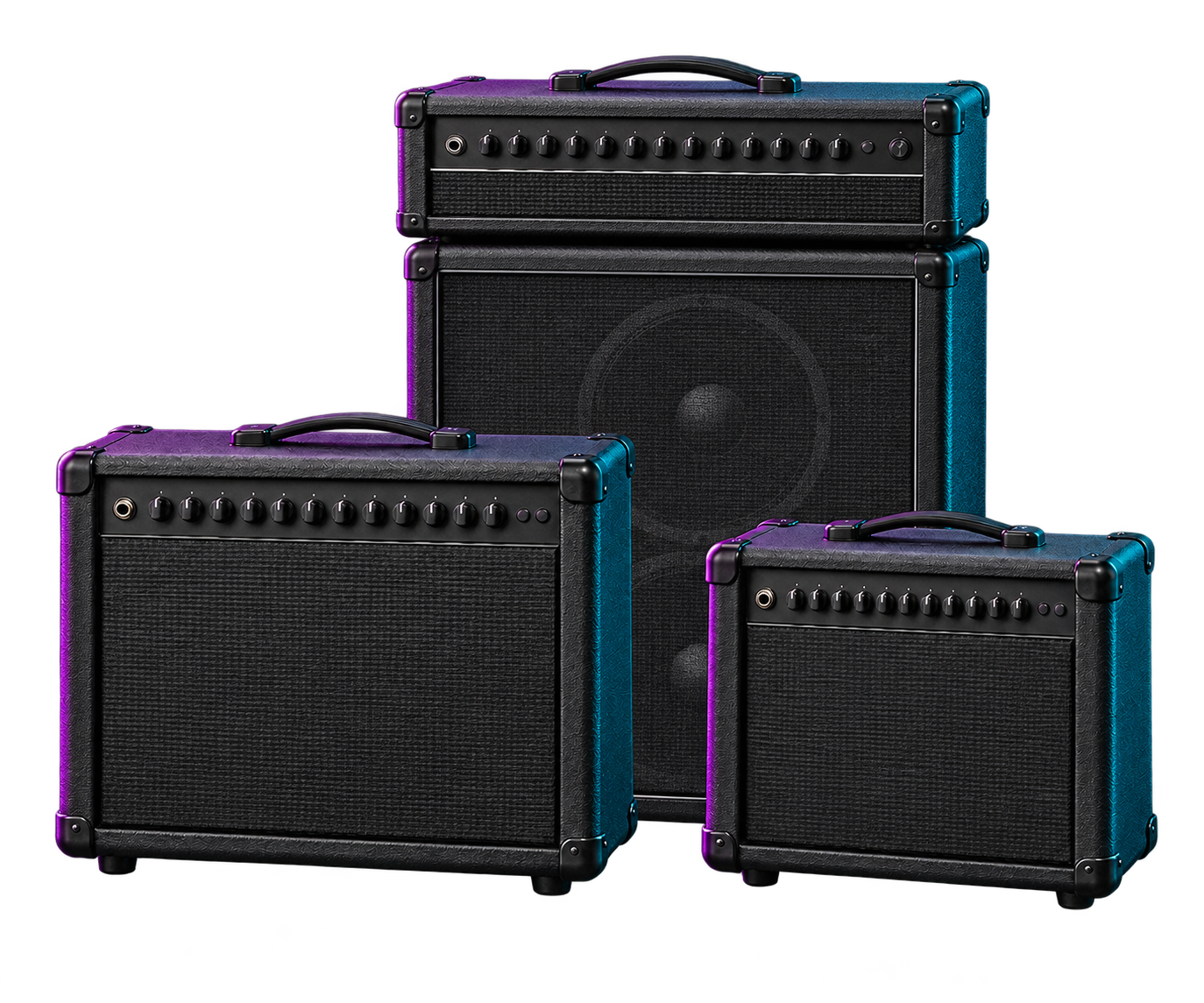
Built by gigging musicians, for gigging musicians and anyone who loves a good guitar tone.
Tone editing, evolved
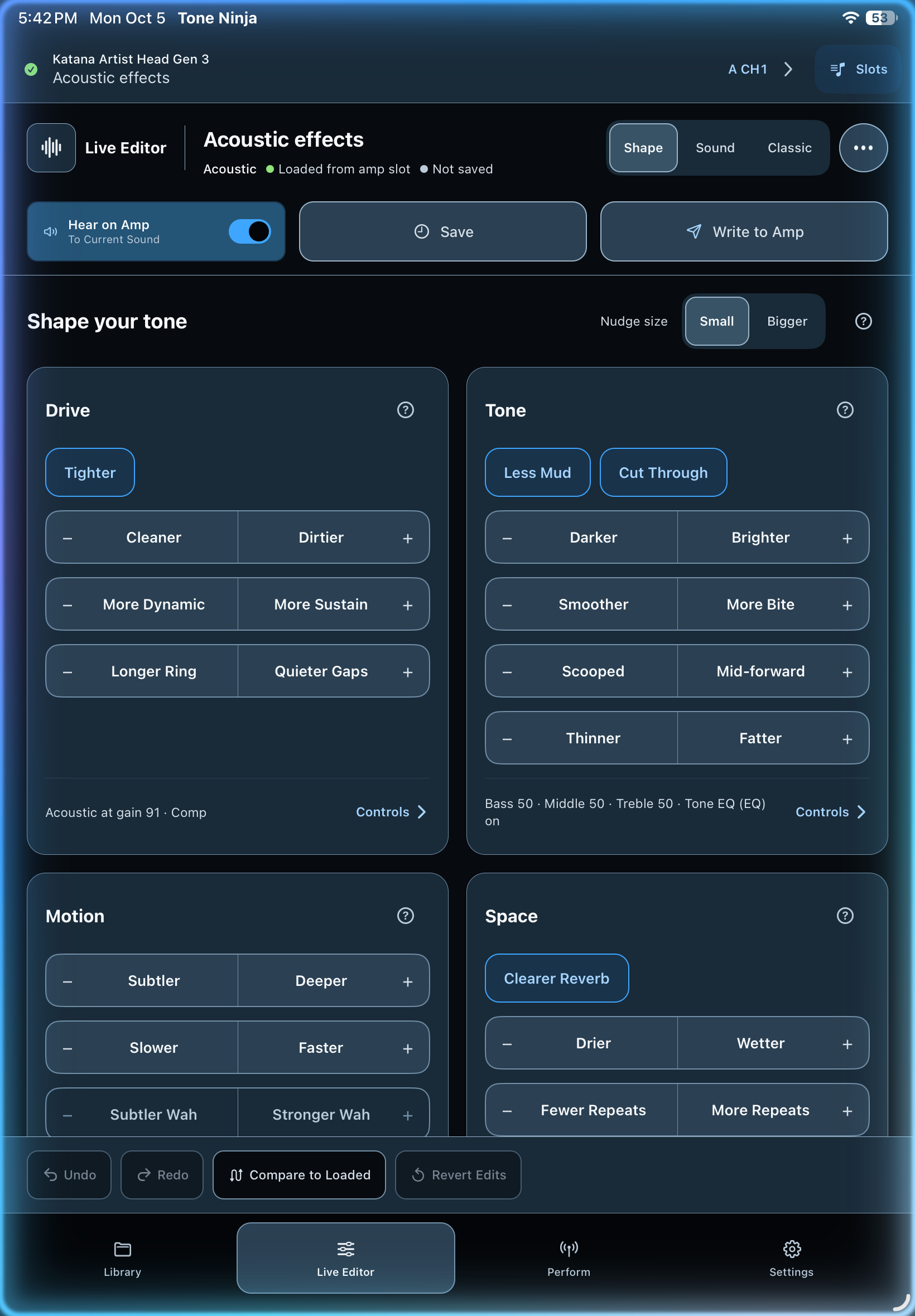
Brighter. Tighter. Cleaner. Edit in the language you already use. Shape adjusts the settings behind each nudge, so you can play, listen, and try again with Undo.
 View full screenshot
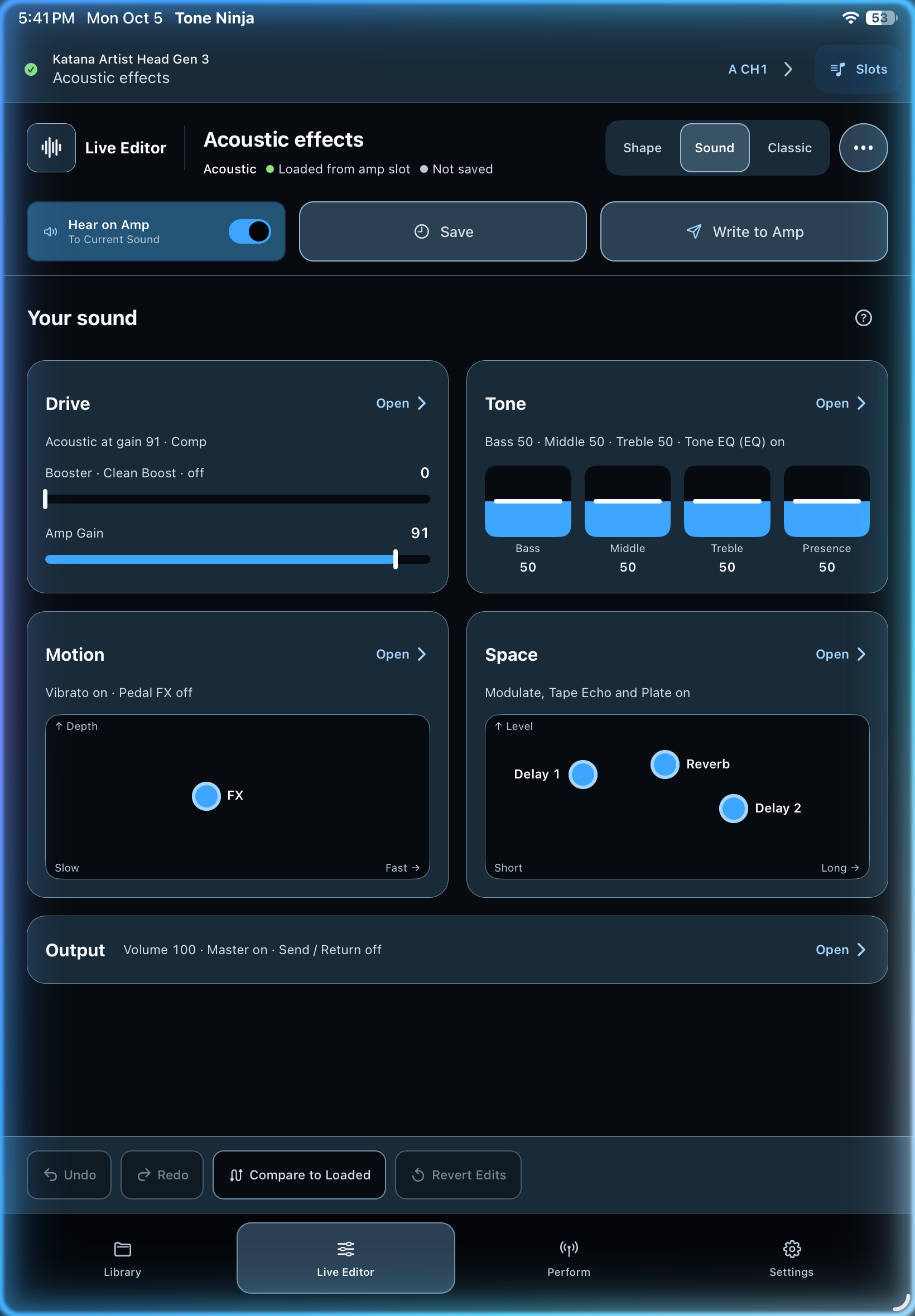
See how every part of your tone fits together. Sound makes gain, EQ, movement, and space visible, with controls grouped by what they do to your sound.
 View full screenshot
Development screenshots on iPad. All views edit the same tone and share Undo history. With a compatible amp connected, Hear on Amp lets you listen as you edit.
Plain-English explanations sit beside the controls. Find out what a setting does, make a small change, and hear it in your playing.
The full signal chain is always close by. Gain, EQ, and effect amounts come first, with detailed settings inside each block. Switch views whenever you want.
Automated Tone Generation · In development
A song, a playing role, or the sound in your head can be the starting point. Automated Tone Generation is being built to create a tone around your guitar, your Katana, and your taste.
Hear the starting point on a compatible connected amp, then make it yours in the Editor. You stay in control of what to keep and what to change.
Ask about testing it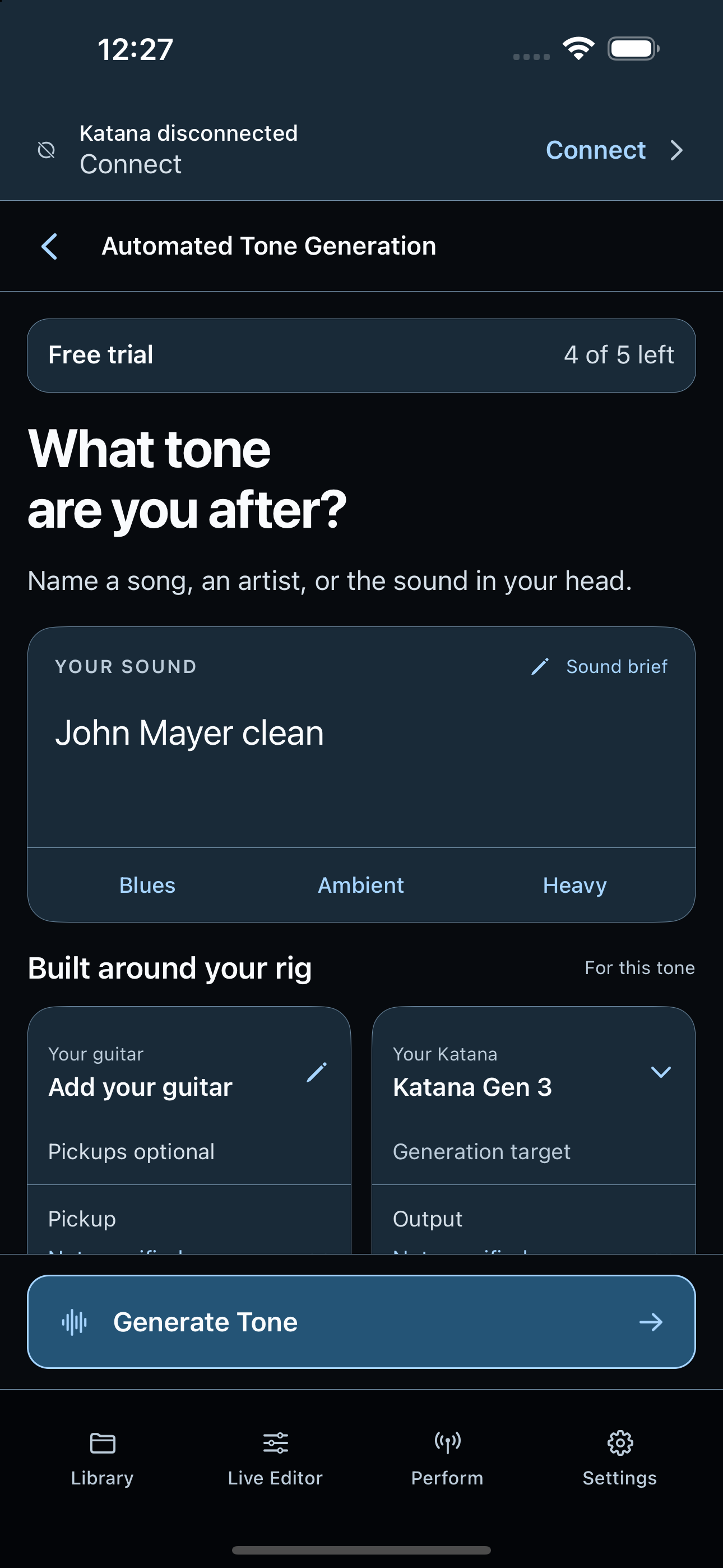 View development screen
In-app tone browsing
Find a compatible Katana patch on BOSS Tone Exchange or Guitar-Tones.com and add it directly to your Tone Ninja library. Everything happens inside the app, without saving a download, using AirDrop, or importing from Files.
BOSS Tone Exchange and Guitar-Tones.com are third-party services. Tone Ninja is not affiliated with or endorsed by either.
Both browsers are shown inside Tone Ninja.
Search and filter Katana patches, then add compatible tones directly to your library. Roland account required.
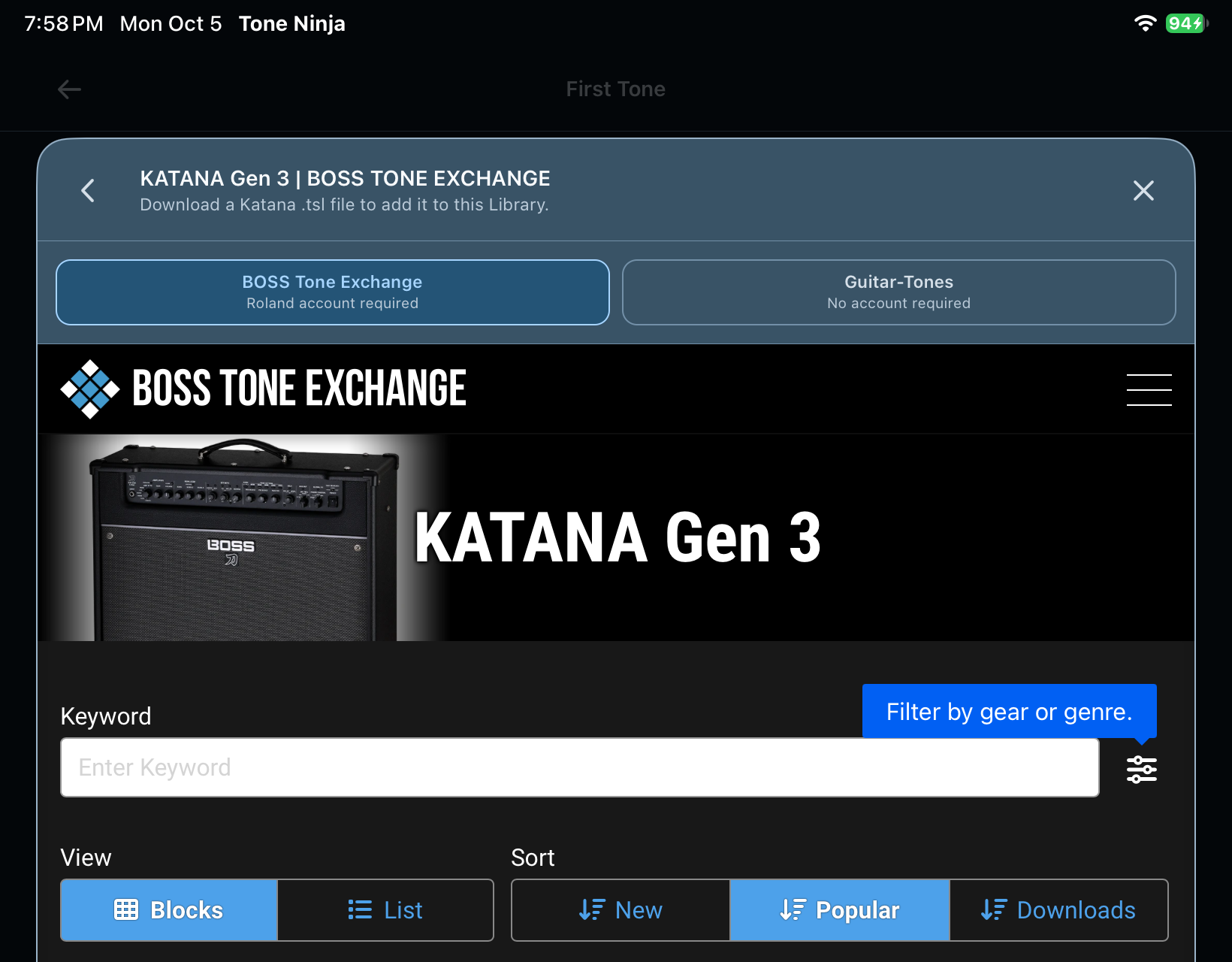 View full screenshot
Browse by amp model and add compatible Katana tones directly to your library. No account required.
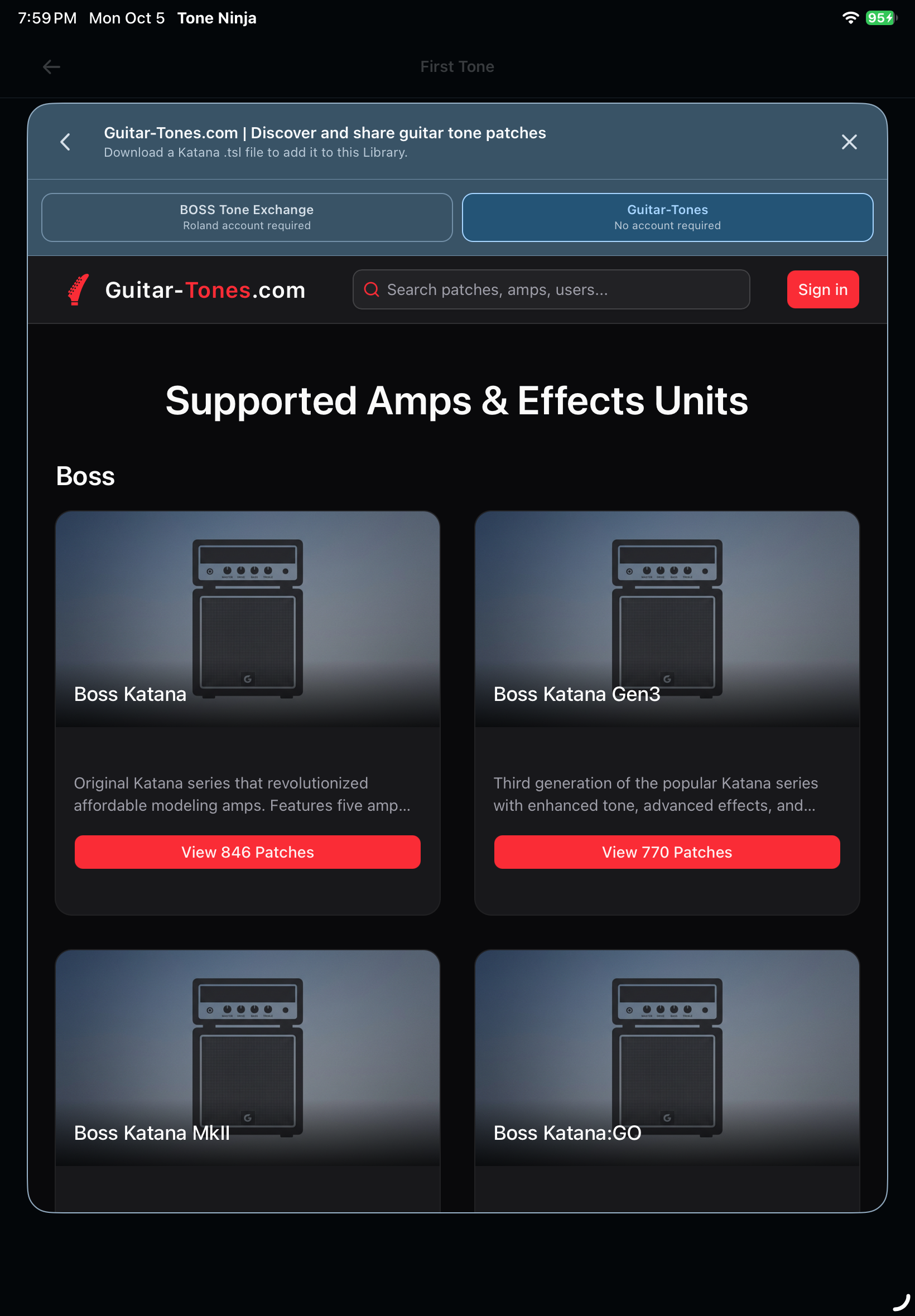 View full screenshot
Choose patches for your Katana model and generation. The tone’s effects and settings still need to be supported by your amp.
Library & Perform
Keep tones, Live Sets, Song Packs, and Gig Packs together. Basic includes unlimited local tones. Tone Ninja Plus adds cloud backup and cross-device sync, so your library can follow you from one device to the next.
Keep individual tones, Live Sets, Song Packs, and Gig Packs together. Search your library, preview a saved sound, or open a pack. Import and export compatible .tsl files.
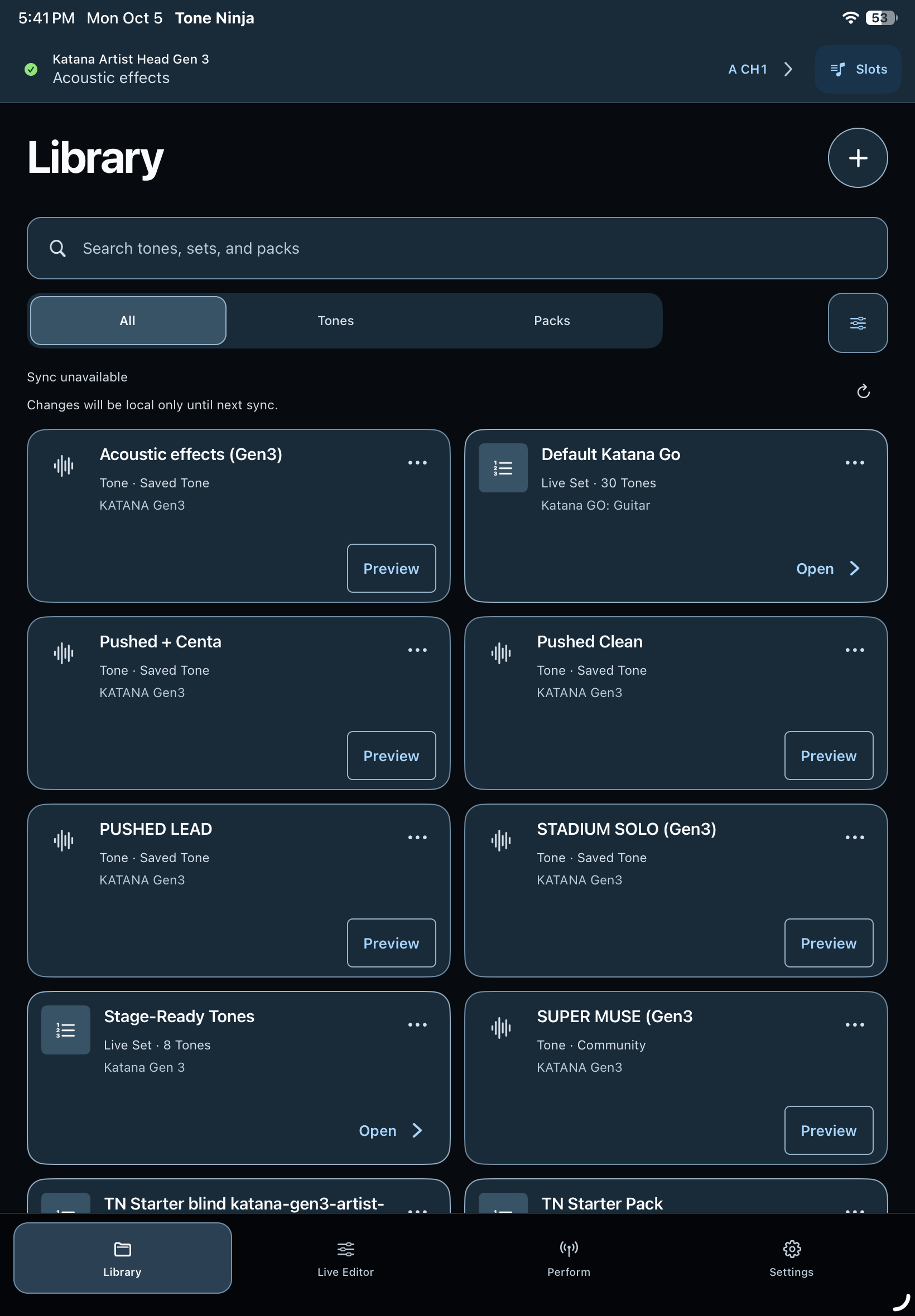 View full screenshot
Switch channels and turn supported effects on or off. Channel names and selected effect models help you keep track of the current sound.
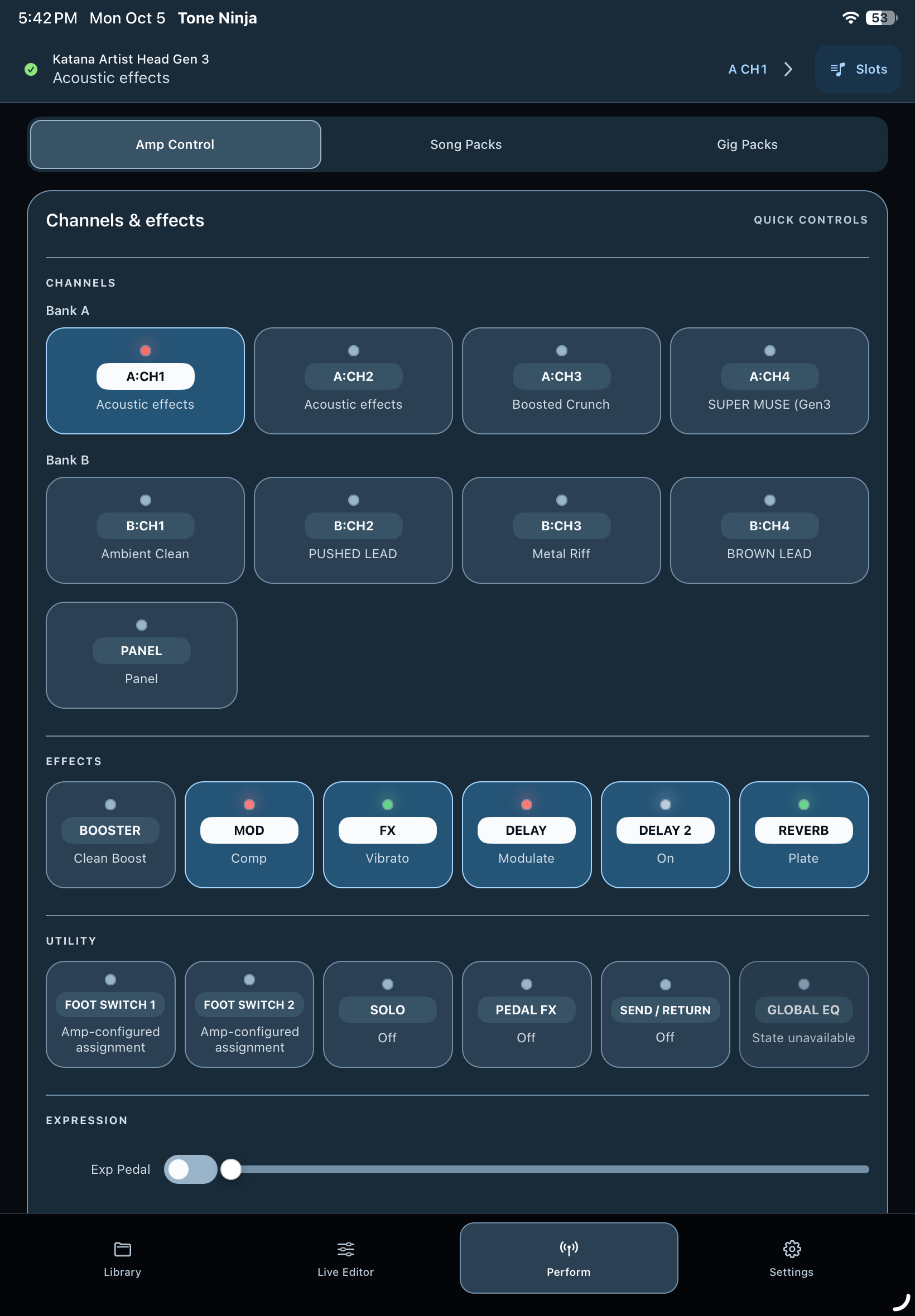 View full screenshot
Good to know
Tone Ninja is in development for iPhone, iPad, macOS, and Android. Amp compatibility is still being tested.
Tone Ninja is still in development. To ask about beta testing, send us a message using the form below.
Automated Tone Generation is in development. It’s being built to create a starting tone for your guitar, amp, and preferences from a named song or a sound description. You’ll be able to hear it on a compatible connected amp and adjust it in the Editor.
Start in Shape with a small nudge such as Brighter or Cleaner. Play a few notes and listen. Sound helps you see the settings behind those changes. Open Classic when you want the full signal chain.
Tone Ninja is in development for iPhone, iPad, macOS, and Android. The Apple versions will debut first, followed by Android.
It depends on your Katana model, generation, firmware, and connection. Compatible BLE MIDI bridges are supported. Direct USB MIDI support varies by device and amp. Testing is still in progress.
Compatible BOSS Tone Studio .tsl files can be imported and exported. Conversion is available for supported generations, with differences shown along the way. The patch’s effects and settings still need to be supported by your target amp.
No. Tone Ninja is an independent product developed by ESG Ventures LLC. It is not affiliated with or endorsed by Roland Corporation, BOSS, BOSS Tone Exchange, or Guitar-Tones.com.
Contact us
Ask us about the beta, tell us what you’re playing, or share an idea for the app.